// a native, declarative 3D package for Flutter
 flutter_fiber
Build 3D scenes the way you build widget trees: procedural shapes from Dart parameters, PBR materials, lights, image/text/live-widget textures, and glTF/GLB models, rendered directly against OpenGL ES. Inspired by react-three-fiber. No WebView. No bundled engine.
// why
3D built from Dart data, not loaded from a file
Most 3D-on-Flutter packages point a viewer at a finished .glb file either a WebView running three.js, or a bundled native engine. That's great when you already have a finished asset. flutter_fiber is for everything before and beyond that.
Data-driven, live app-state 3D
Every shape is Dart data, not a loaded file. A fitness app's progress ring can thicken with weekly activity, a fintech dashboard's shape can shift with portfolio risk driven by the same state that drives the rest of your UI.
Composable primitives
Fiber3DGroup chains multiple shapes into one rigid composite a capsule + two spheres becomes a limb, a cone + cylinder + sphere becomes a party hat built directly in widget code, animated as one unit or independently per part.
No bundled engine
No WebView, no Filament-class native engine shipped just for one 3D object. A thin OpenGL ES binding and plain Dart math real APK/IPA size and battery savings when you only need one thing to render.
Full pipeline ownership
Shader compilation, buffer upload, lighting, and lifecycle are plain Dart and GLSL you can read and patch yourself not a black box waiting on someone else's engine team.
// install & quick start
Install & Quick Start
Add the package with the Flutter CLI:
flutter pub add flutter_fiberOr add it manually to pubspec.yaml:
dependencies:
  flutter_fiber: ^0.2.0
Platform support: Android is the primary, fully supported target. iOS is experimental and physical-device-only no simulator support, since Apple deprecated OpenGL ES.
Required Android manifest fix (temporary, will be removed in a future release): flutter_fiber's native OpenGL binding bundles its own small manifest, which currently conflicts with your app's android:label. Add tools:replace="android:label" to your android/app/src/main/AndroidManifest.xml's <application> tag, and the xmlns:tools namespace to the root <manifest> tag:
<manifest xmlns:android="http://schemas.android.com/apk/res/android"
                xmlns:tools="http://schemas.android.com/tools">
                <application
                    android:label="your_app_name"
                    android:name="${applicationName}"
                    android:icon="@mipmap/ic_launcher"
                    tools:replace="android:label">
                    <!-- ...rest of your existing <application> content stays unchanged... -->
                </application>
            </manifest>
Without this, the build fails with a manifest merge error: Attribute application@label value=(...) is also present at [com.futouapp:threeegl...].
A complete, working scene a lit, shaded, animated, orbit-controllable object in one file:
import 'package:flutter/material.dart';
import 'package:flutter_fiber/flutter_fiber.dart';


void main() => runApp(const MyApp());

class MyApp extends StatelessWidget {
  const MyApp({super.key});

  @override
  Widget build(BuildContext context) {
    return MaterialApp(
      home: Scaffold(
        appBar: AppBar(title: const Text('flutter_fiber')),
        body: Fiber3DCanvas(
          backgroundColor: 0x1e1e1e,
          camera: Fiber3DCamera(
            position: const Fiber3DVector3(0, 0, 5),
            target: const Fiber3DVector3.zero(),
          ),
          orbitEnabled: true, // drag to orbit, pinch to zoom
          lights: [
            const Fiber3DAmbientLight(color: 0xffffff, intensity: 0.6),
            Fiber3DPointLight(
              color: 0xffffff,
              intensity: 3.0,
              position: const Fiber3DVector3(3, 4, 5),
            ),
          ],
          children: [
            Fiber3DMesh(
              geometry: Fiber3DTorusKnot(radius: 1.0, tube: 0.3),
              material: Fiber3DStandardMaterial(
                color: 0x3366ff,
                roughness: 0.5,
                metalness: 0.2,
              ),
              onFrame: (elapsed, delta, transform) {
                final t = delta.inMicroseconds / 1e6;
                transform.rotation.y += t;
                transform.rotation.x += t * 0.4;
              },
            ),
          ],
        ),
      ),
    );
  }
}
Upgrading from 0.1.x: version 0.2.0 has three breaking changes.
- Remove
constin front ofFiber3DStandardMaterial(...). It now holds texture references, so its constructor is no longer const. Fiber3DCanvasno longer hasskyColor/groundColor. Add aFiber3DHemisphereLighttolightsinstead.- Lighting is now physically based, with environment reflections, so existing scenes will look different. Re-tune light intensities, roughness and metalness.
// shape gallery
Shape Gallery
Every shape below is generated live in the example app clone the repo and run it to page through all of them interactively, with toggles for wireframe edges and flat/smooth shading.
Box
Fiber3DBox(width: 1.4, height: 1.4, depth: 1.4)Capsule
Fiber3DCapsule(radius: 0.6, height: 1.2)Cone
Fiber3DCone(radius: 1.0, height: 1.8, radialSegments: 32)Cylinder
Fiber3DCylinder(radiusTop: 0.8, radiusBottom: 0.8, height: 1.8)Icosahedron
Fiber3DIcosahedron(radius: 1.2)Lathe (basket)
Fiber3DLathe(
  points: const [
    [0.0, -0.9],
    [0.5, -0.85],
    [0.85, -0.5],
    [0.95, 0.0],
    [0.85, 0.5],
    [0.5, 0.85],
  ],
  segments: 24,
)
Ring
Fiber3DRing(innerRadius: 0.5, outerRadius: 1.2)Sphere
Fiber3DSphere(radius: 1.2)Torus (donut)
Fiber3DTorus(radius: 1.0, tube: 0.4)Torus Knot
Fiber3DTorusKnot(radius: 1.0, tube: 0.3)Circle
Fiber3DCircle(radius: 1.2, segments: 32)Octahedron
Fiber3DOctahedron(radius: 1.2)Tetrahedron
Fiber3DTetrahedron(radius: 1.2)Star
Fiber3DStar(outerRadius: 1.2, innerRadius: 0.5, points: 5, depth: 0.3)Prism (hexagonal)
Fiber3DPrism(radius: 1.1, height: 1.6, sides: 6)Spring
Fiber3DSpring(radius: 0.8, tubeRadius: 0.15, turns: 4, pitch: 0.5)Chamfered Box
Fiber3DChamferedBox(width: 1.4, height: 1.4, depth: 1.4, chamferAmount: 0.4)Arrow (widget)
// Fiber3DArrow is a widget, not a geometry:
// place it directly in children, not inside Fiber3DMesh.
Fiber3DArrow(
  length: 2.0,
  shaftMaterial: material,
  headMaterial: material,
)
Plane
Fiber3DPlane(width: 2, height: 2)Dodecahedron
Fiber3DDodecahedron(radius: 1.1)Polyhedron (custom)
Fiber3DPolyhedron(
  // flat [x, y, z, x, y, z, ...] vertex list
  const [1.0, 1.0, 1.0, -1.0, -1.0, 1.0, -1.0, 1.0, -1.0, 1.0, -1.0, -1.0],
  // triangles, as indices into the vertex list above
  const [2, 1, 0, 0, 3, 2, 1, 3, 0, 2, 3, 1],
  radius: 1.2,
  detail: 0,
)
Wedge (ramp)
Fiber3DWedge(width: 1.5, height: 1.0, depth: 1.5)// composing shapes
Combining Shapes with Fiber3DGroup
Primitives aren't just decoration they're building blocks. Group several meshes to move, rotate, and scale them together as one composite object, the same way most real 3D content is actually built. This toy train combines a box, two cylinders, and a cone into one rigid group that spins as a whole, while each wheel also spins independently about its own axle.
import 'dart:math';
import 'package:flutter/material.dart';
import 'package:flutter_fiber/flutter_fiber.dart';

void main() {
  runApp(const FiberTrainDemo());
}

class FiberTrainDemo extends StatelessWidget {
  const FiberTrainDemo({super.key});

  @override
  Widget build(BuildContext context) {
    return MaterialApp(
      debugShowCheckedModeBanner: false,
      home: Scaffold(
        appBar: AppBar(
          title: const Text('flutter_fiber toy train (composed shapes)'),
          backgroundColor: const Color(0xFF828282),
        ),
        body: Fiber3DCanvas(
          backgroundColor: 0x87ceeb,
          camera: Fiber3DCamera(
            position: const Fiber3DVector3(0, 1.0, 7),
            target: const Fiber3DVector3(0, 0.3, 0),
          ),
          orbitEnabled: true,
          lights: [
            const Fiber3DAmbientLight(color: 0xffffff, intensity: 0.7),
            Fiber3DPointLight(
              color: 0xffffff,
              intensity: 3.0,
              position: const Fiber3DVector3(3, 4, 5),
            ),
            Fiber3DPointLight(
              color: 0xffffff,
              intensity: 1.2,
              position: const Fiber3DVector3(-3, 2, -2),
            ),
          ],
          children: const [_ToyTrain()],
        ),
      ),
    );
  }
}

/// Cab (box), boiler (horizontal cylinder), chimney (nested group), and
/// six wheels — one Fiber3DGroup, whole train spins as one turntable
/// unit while each wheel also spins independently about its own axle.
class _ToyTrain extends StatelessWidget {
  const _ToyTrain();

  @override
  Widget build(BuildContext context) {
    return Fiber3DGroup(
      onFrame: (elapsed, delta, transform) {
        final t = delta.inMicroseconds / 1e6;
        transform.rotation.y += t * 0.3;
      },
      children: const [
        _TrainBody(),
        _TrainBoiler(),
        _Chimney(),
        _Wheel(axleX: 1.0, radius: 0.32, side: 1),
        _Wheel(axleX: 1.0, radius: 0.32, side: -1),
        _Wheel(axleX: -0.9, radius: 0.5, side: 1),
        _Wheel(axleX: -0.9, radius: 0.5, side: -1),
        _Wheel(axleX: 0, radius: 0.32, side: 1),
        _Wheel(axleX: 0, radius: 0.32, side: -1),
      ],
    );
  }
}

class _TrainBody extends StatelessWidget {
  const _TrainBody();
  @override
  Widget build(BuildContext context) {
    return Fiber3DMesh(
      geometry: Fiber3DBox(width: 1.6, height: 1.4, depth: 1.3),
      material: Fiber3DStandardMaterial(
        color: 0xcc1111,
        roughness: 0.4,
        metalness: 0.3,
        flatShading: true,
      ),
      onFrame: (elapsed, delta, transform) {
        transform.position.set(-0.9, 0.8, 0);
      },
    );
  }
}

class _TrainBoiler extends StatelessWidget {
  const _TrainBoiler();
  @override
  Widget build(BuildContext context) {
    return Fiber3DMesh(
      geometry: Fiber3DCylinder(
        radiusTop: 0.5,
        radiusBottom: 0.5,
        height: 2.0,
        radialSegments: 24,
      ),
      material: Fiber3DStandardMaterial(
        color: 0xcc1111,
        roughness: 0.4,
        metalness: 0.3,
        flatShading: true,
      ),
      onFrame: (elapsed, delta, transform) {
        transform.rotation.z = -pi / 2;
        transform.position.set(0.6, 0.5, 0);
      },
    );
  }
}

class _Chimney extends StatelessWidget {
  const _Chimney();
  @override
  Widget build(BuildContext context) {
    return Fiber3DGroup(
      children: [
        Fiber3DMesh(
          geometry: Fiber3DCylinder(
            radiusTop: 0.12,
            radiusBottom: 0.14,
            height: 0.35,
            radialSegments: 16,
          ),
          material: Fiber3DStandardMaterial(
            color: 0x1a1a1a,
            roughness: 0.5,
            metalness: 0.4,
            flatShading: true,
          ),
          onFrame: (elapsed, delta, transform) {
            transform.position.set(1.0, 1.175, 0);
          },
        ),
        Fiber3DMesh(
          geometry: Fiber3DCone(radius: 0.16, height: 0.18, radialSegments: 16),
          material:Fiber3DStandardMaterial(
            color: 0x1a1a1a,
            roughness: 0.5,
            metalness: 0.4,
            flatShading: true,
          ),
          onFrame: (elapsed, delta, transform) {
            transform.position.set(1.0, 1.44, 0);
          },
        ),
      ],
    );
  }
}

class _Wheel extends StatelessWidget {
  final double axleX;
  final double radius;
  final int side;

  const _Wheel({required this.axleX, required this.radius, required this.side});

  @override
  Widget build(BuildContext context) {
    const wheelThickness = 0.28;
    const bodyHalfDepth = 0.5;

    return Fiber3DMesh(
      geometry: Fiber3DCylinder(
        radiusTop: radius,
        radiusBottom: radius,
        height: wheelThickness,
        radialSegments: 20,
      ),
      material:Fiber3DStandardMaterial(
        color: 0x1a3d33,
        roughness: 0.5,
        metalness: 0.3,
        flatShading: true,
      ),
      onFrame: (elapsed, delta, transform) {
        final z = side * (bodyHalfDepth + wheelThickness / 2);
        final y = radius;
        transform.position.set(axleX, y, z);
        transform.rotation.x = pi / 2;
        final t = delta.inMicroseconds / 1e6;
        transform.rotation.y += t * 4;
      },
    );
  }
}
// render quality
Built for quality, not just shapes
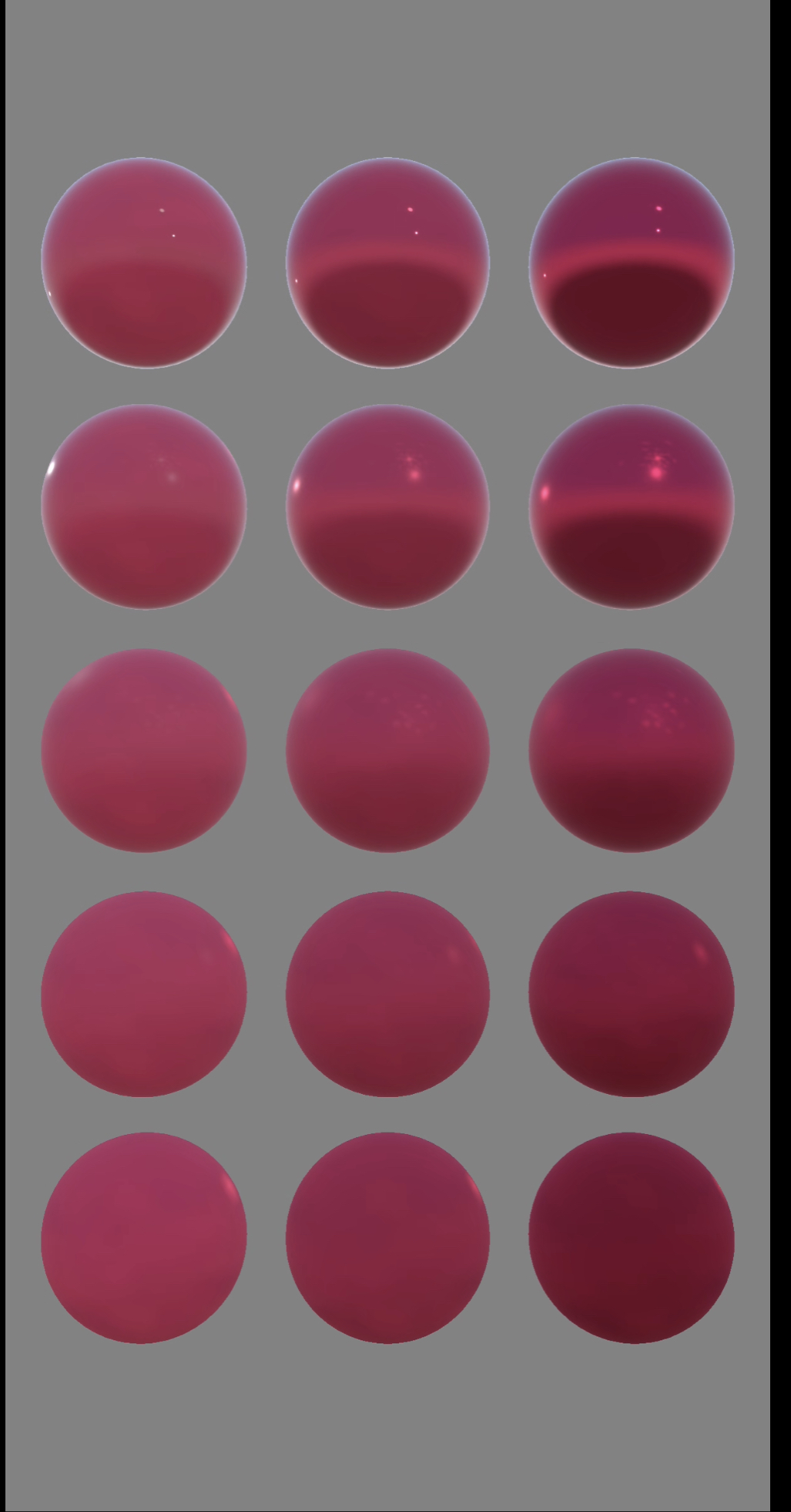
Everything above renders through a physically based pipeline: ACES Filmic tone mapping, sRGB color management, and an environment map generated from a procedural sky. The same Standard material covers matte, metal, clearcoat and glass.
// api reference
Key API Options
The most commonly used options, what they actually do, and a copy-pasteable example for each.
showEdges
Fiber3DMeshDraws a second, unlit wireframe pass over the shaded surface the shaded-fill-plus-visible-edges look seen in three.js's own geometry viewers. Ignored if the material's wireframe is already true (that mode is lines-only).
Fiber3DMesh(
  geometry: Fiber3DTorus(radius: 1.0, tube: 0.4),
  material: Fiber3DStandardMaterial(color: 0x3366ff),
  showEdges: true,
)
material.wireframe
Fiber3DStandardMaterial / Fiber3DBasicMaterialRenders lines only no filled triangles at all.
Fiber3DStandardMaterial(
  color: 0x3366ff,
  wireframe: true,
),
  ---
  OR
  ---
  Fiber3DBasicMaterial(
  color: 0x3366ff,
  wireframe: true,
)
material.flatShading
Fiber3DStandardMaterialfalse (default): smooth, interpolated per-vertex normals. true: one flat normal per triangle the faceted, low-poly "gem" look. Pure shading-mode toggle; the underlying geometry data is untouched.
Fiber3DStandardMaterial(
  color: 0x3366ff,
  flatShading: true,
)
enablePinchScale
Fiber3DMeshOpt-in two-finger pinch-to-scale on that mesh, off by default. Anchored to the scale at gesture start so it never compounds mid-gesture, and clamped by minPinchScale/maxPinchScale so it can't shrink to invisible or grow unbounded.
Fiber3DMesh(
  geometry: Fiber3DSphere(radius: 1.2),
  material: Fiber3DStandardMaterial(color: 0x3366ff),
  enablePinchScale: true,
  minPinchScale: 0.4,
  maxPinchScale: 2.5,
)
Fiber3DHemisphereLight
Fiber3DCanvas lightsA soft sky-and-ground light. Blends skyColor and groundColor by how much each surface faces direction, so undersides aren't pure black. No position, no falloff. Only the first hemisphere light is used, and it affects Fiber3DStandardMaterial only. It replaces the skyColor / groundColor parameters that Fiber3DCanvas had in 0.1.x.
Fiber3DCanvas(
  lights: [
    Fiber3DHemisphereLight(
      skyColor: 0x88aaff,
      groundColor: 0x443322,
      intensity: 1.0,
    ),
  ],
  // ...
)
orbitEnabled
Fiber3DCanvasDrag to orbit the camera, pinch to zoom, when no mesh under the gesture claims it first.
Fiber3DCanvas(
  orbitEnabled: true,
  // ...
)
// lifecycle
Lifecycle
Fiber3DCanvas manages its own GPU and battery cost automatically nothing to wire up yourself.
Off-screen pause
Rendering pauses when the canvas scrolls off-screen, and resumes automatically when it's visible again.
Background pause
Rendering pauses when the app is backgrounded, and resumes on foreground no wasted GPU or battery while the user is elsewhere.
Idle-frame stop
The render loop fully stops not just throttles once nothing is animating and no gesture is in progress. It wakes on the next onFrame registration or touch.
Full disposal
All GPU resources buffers, shaders, the GL context itself are released on dispose. No manual cleanup required.
// roadmap
Roadmap
glTF / GLB models and procedural shapes both work today. Here's what's next, and what's under consideration (in no particular order).
Text and logo extrusion (next)
A port of three.js's text and shape pipeline: glyph outlines and SVG-style shapes turned into real 3D geometry at runtime.
Transparency and materials
Depth-sorted transparency, multi-material meshes, normal maps, mipmaps and wrap modes, and matcap / gradient textures.
glTF
KHR_materials_* extensions and animation.
Environment
HDR environment map loading.